
Replace Employees With AI? Cost Risks to Check First
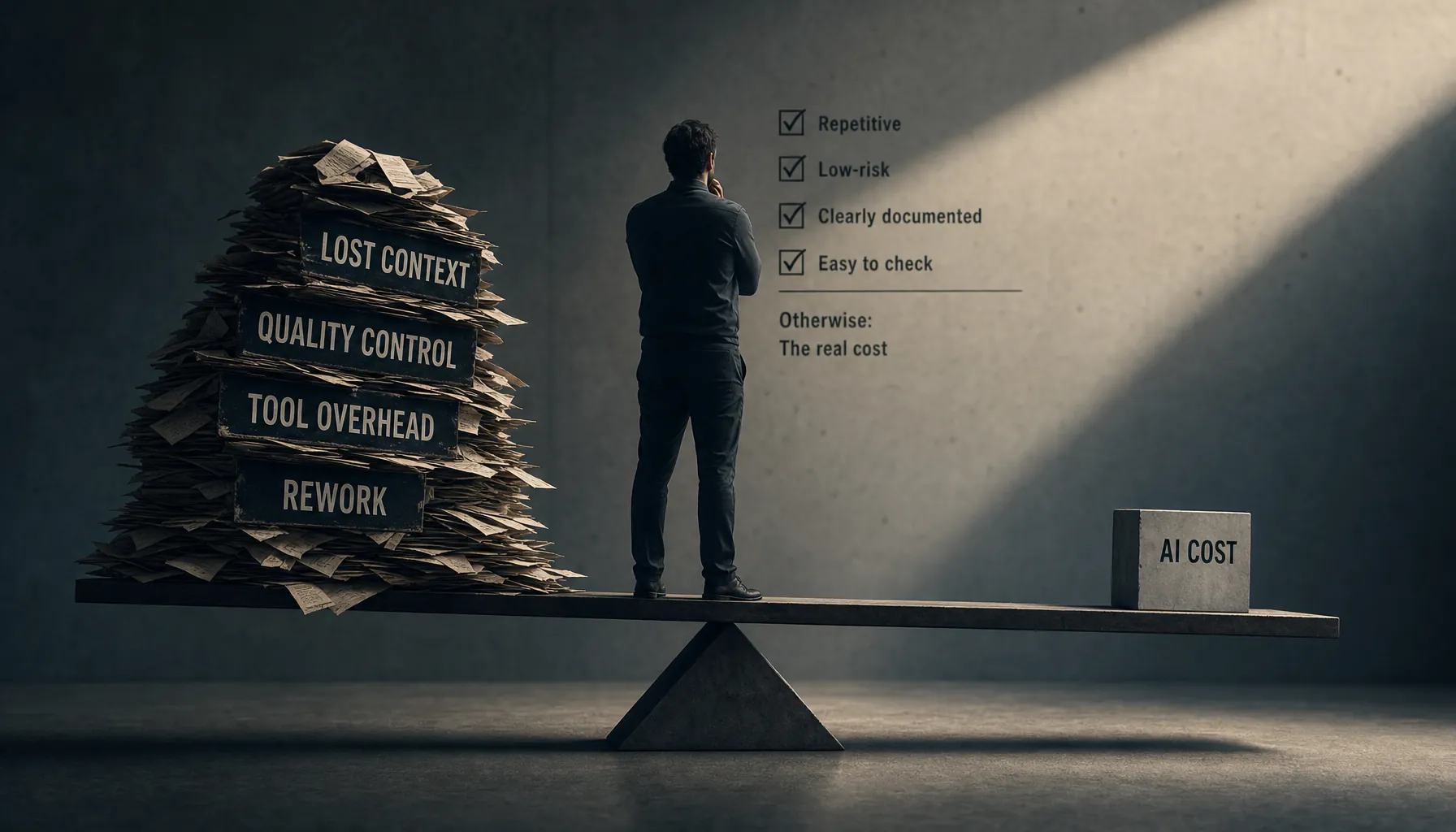
Replacing employees with AI works only when the job is repetitive, low-risk, clearly documented, and easy to check. Most failed attempts to cut labor costs with AI come down to lost context, quality control, tool overhead, and rework.
Should Companies Replace Employees With AI? The Cost Test Most Teams Skip
Microsoft and LinkedIn found that 75% of knowledge workers were already using AI on the job in 2024, according to the 2024 Work Trend Index on AI at work. That does not mean companies should start swapping people out for software. It means the real question in 2026 is much narrower: which parts of the job can you automate without losing context, quality control, accountability, or speed?
Usually, the answer is not “AI instead of people.” It is “AI with fewer handoffs and better operators.” For the broader economics, see Provn’s cluster pillar on AI cost vs employees.
Key Takeaways
Replacing employees with AI works only when the task is repeatable, the inputs are clean, the review load is low, and mistakes are cheap to catch.
- AI saves money fastest on documented, repetitive work where a human reviews exceptions instead of every single output.
- The expensive part often is not the model call. It is lost context, rework, compliance review, tool management, and customer damage.
- AI replacement usually fails when teams cut the person who knew why the work was done that way in the first place.
- A safer model is task replacement, not role replacement: automate slices of work and keep clear owners.
- High-output builders get more valuable, not less, because they turn AI usage into work that actually ships.
Should Companies Replace Employees With AI? A Direct Answer
Companies should replace tasks with AI before they replace employees with AI. Full role replacement makes financial sense only when the work is standardized, measurable, low-risk, and cheap to audit.
The test is pretty simple. If the employee mostly moves information between systems, follows stable rules, and produces outputs that can be checked quickly, AI may cut labor cost. If the employee carries customer history, product judgment, exception handling, or institutional memory, replacing the role can push cost into places finance never sees.
McKinsey estimated that generative AI could add $2.6 trillion to $4.4 trillion in annual economic value across use cases, according to McKinsey’s 2023 analysis of generative AI’s economic potential. That estimate is about productivity, not automatic headcount cuts. Big difference. Productivity gains turn into margin only if quality, coordination, and rework do not eat the savings.
This is where a lot of AI replacement plans fall apart. They compare a salary to a software bill. Wrong spreadsheet. The better comparison is salary plus output quality versus model cost plus supervision, workflow redesign, exception handling, security review, and failures.
The Real Cost to Replace Employees With AI Is Not the Subscription
The real cost to replace employees with AI is the full operating cost of getting reliable work out of the system. Subscription fees and token costs are just the part everyone can see.
AI costs usually show up in four buckets that almost never live on the same budget line:
| Cost bucket | What it looks like in practice | Why it matters |
|---|---|---|
| Context loss | The system lacks customer history, product constraints, internal exceptions, or past decisions. | Outputs look plausible but miss the real reason the work existed. |
| Quality review | Managers, analysts, engineers, or operators must inspect AI output before it ships. | Review time can wipe out labor savings if every output needs human checking. |
| Tool management | Teams must manage prompts, permissions, model routing, integrations, logs, and vendor changes. | The work does not disappear. It shifts from doing the task to managing the system. |
| Rework | Incorrect drafts, bad code, hallucinated policies, duplicate tickets, or broken automations require repair. | Rework is expensive because it usually shows up after the handoff. |
OpenAI, Anthropic, Google, and other providers price a lot of enterprise AI usage through input and output tokens. According to OpenAI’s API pricing page, model costs vary by model, input tokens, output tokens, and cached input rates. So cost depends on workflow design, not just seat count. A messy process with long prompts, repeated context loading, and endless revisions can cost more than teams expect.
For budgeting mechanics, use Provn’s separate breakdown of AI Token Costs (2026): Pricing Forecasts and Budget Controls and the formula page for an AI Token Cost Estimate: Team Budget Formula for 2026. The point here is narrower: token spend is rarely the only thing that goes wrong.
Context Loss: The Work AI Cannot See
Context loss happens when a company removes the person who understands the exceptions behind the workflow. AI can read documents, but it does not magically know which old workaround still matters.
Most companies have undocumented logic all over the place. Sales ops knows which enterprise customer needs manual renewal handling. Support knows which bug reports point to a real outage. Finance knows which invoice wording triggers procurement delays. Engineering knows which “simple” feature request touches a fragile service.
When that person leaves and an AI tool takes over the visible workflow, the company may still get outputs. The problem is that those outputs are disconnected from operating memory. That is why a chatbot can answer a support ticket correctly in isolation and still damage the account. It does not know the history.
Provn covers the broader pattern in AI Replacing Employees (2026): Hidden Costs and Rehiring Signals. The signal to watch is not whether AI can produce text. That part is easy. The real signal is whether downstream teams spend more time correcting, explaining, escalating, or rebuilding work that used to get handled quietly.
Quality Review: AI Output Still Needs an Owner
AI output needs an accountable reviewer when the work affects customers, money, law, security, product behavior, or brand trust. Remove the reviewer, and speed turns into risk.
The National Institute of Standards and Technology AI Risk Management Framework describes AI risk management through govern, map, measure, and manage functions, according to NIST’s AI Risk Management Framework. In plain English: someone has to define the use case, measure failure, assign responsibility, and keep watching the system after launch.
The review burden changes the economics. If AI drafts 100 customer emails and a manager has to inspect all 100, the company has not removed the labor. It has sped up the first draft and moved the human into quality control. That can still be useful. It just is not the same as replacing the employee.
The more judgment-heavy the work, the more the reviewer matters. A strong reviewer catches missing assumptions, bad edge cases, and polished nonsense. A weak reviewer waves through fluent errors. Provn’s article on AI Judgment at Work: Examples and Evaluation Criteria goes deeper on how to tell the difference.
Tool Management: The New Work Does Not Disappear
AI automation creates a management layer: prompts, permissions, data access, evaluation, monitoring, vendor selection, and incident response. That is real labor, even if it does not look like the old job.
Security is one obvious example. The OWASP Top 10 for Large Language Model Applications lists risks including prompt injection, sensitive information disclosure, insecure output handling, and excessive agency, according to OWASP’s LLM application security project. That does not mean companies should avoid AI. It means AI systems need owners who understand both the workflow and the ways it can fail.
Tool sprawl is another cost. One team uses a chat interface. Another uses an agent. Another plugs AI into the CRM. Another buys a coding assistant. Before long, nobody can say what is running where, who owns it, or why the token bill doubled. That is why the cost discussion overlaps with Agentic AI Costs (2026): Token Usage and Workflow Controls, Why AI Agents Use So Many Tokens: Workflow Causes in 2026, and Why AI Token Costs Are High: Pricing Drivers in 2026.
Large companies can absorb some of this with platform teams. Startups usually cannot. Smaller teams should read AI Token Budget for Startups: Cost Controls for Small Teams before they automate core workflows. A startup that replaces an operator too early may save one salary and end up with a system nobody has time to supervise. I have seen versions of this movie before. It does not end with “efficiency.” It ends with a founder doing cleanup work at 11 p.m.
A Practical Test Before Replacing a Role With AI
The safest way to evaluate AI replacement is to test work at the task level before changing headcount. A role is usually a bundle of visible tasks, hidden decisions, exceptions, and relationships.
- Map the role into recurring tasks, exception tasks, judgment calls, and relationship work.
- Measure the current baseline for cost, cycle time, error rate, escalation rate, and customer impact.
- Select one repeatable task with clear inputs, low failure cost, and a defined reviewer.
- Run the AI workflow in parallel with the existing process for a fixed trial period.
- Track rework time, review time, tool cost, escalation volume, and output acceptance rate.
- Compare total operating cost against the original baseline, not just software spend against salary.
- Expand automation only when the AI workflow improves output without increasing downstream repair work.
This is where most teams need to slow down. A demo measures possibility. A parallel run measures cost. Those are not the same thing.
Teams trying to reduce waste should pair this test with Reduce AI Agent Token Usage: Prompting Controls and Review Steps and AI Productivity vs Usage: Output Metrics and ROI Signals. Usage is not productivity. Output is productivity.
When AI Scales Better With Skilled People
AI works better with skilled people when those people can define good work, catch bad output, and redesign workflows around measurable results. The highest-return model is usually fewer routine tasks per person, not fewer capable people.
This is the part a lot of hiring teams miss. AI does not eliminate skill. It makes skill harder to fake. The builder who can ship a prototype, evaluate model output, document tradeoffs, and measure impact is more useful than someone who just lists AI tools on a resume.
That is why Provn’s hiring lens is performance over pedigree. Companies need proof that someone can turn AI into working systems. See AI Skills in Hiring (2026): Portfolio Proof and Interview Signals and AI Builder Jobs (2026): Portfolio Proof and Team Scale for the hiring side of this shift.
The practical model is not “humans versus AI.” It is a human-in-the-loop system with clear ownership. For governance patterns, see Human-in-the-Loop AI Teams: Governance and Scale Models. The best teams cut low-value labor and keep the people who actually understand the work.
Companies should replace employees with AI only after they prove that context, review, tool management, and rework costs stay lower than the labor savings. Anything less is not automation. It is cost shifting.
Frequently Asked Questions
Should a company replace employees with AI to cut costs?
A company should replace tasks with AI before replacing employees outright. The cost case works only when the work is repeatable, the failure cost is low, review is fast, and the company can prove that rework and tool management do not wipe out the savings.
What are the hidden costs of replacing employees with AI?
The main hidden costs are lost context, quality review, workflow redesign, security review, vendor management, prompt maintenance, monitoring, and rework. These costs usually show up in other teams’ time instead of the AI software budget.
Which jobs are safest to automate with AI?
The safest work to automate is narrow, repetitive, rules-based, and easy to verify. Examples include first-draft summaries, document classification, internal search, data cleanup, and routine ticket triage. Work involving legal exposure, customer trust, security, or product judgment needs stronger human review.
How should startups decide whether to replace a role with AI?
Startups should run a parallel test before cutting a role. Measure current cost, cycle time, error rate, review time, and customer impact, then compare those numbers against the AI-assisted workflow. Small teams have less room for tool sprawl because one failed automation can eat the time of the founder, engineer, or operator who was supposed to get that time back.
Does AI make skilled employees less valuable?
AI usually makes skilled employees more valuable when they can define quality, build workflows, review outputs, and measure results. The scarce skill is not tool usage by itself. It is judgment under faster production conditions.