
How to Demo an AI Prototype in an Interview
A tight interview script to show an AI-assisted prototype in under ten minutes: brief context, live demo, trade-off discussion, and a closing question.
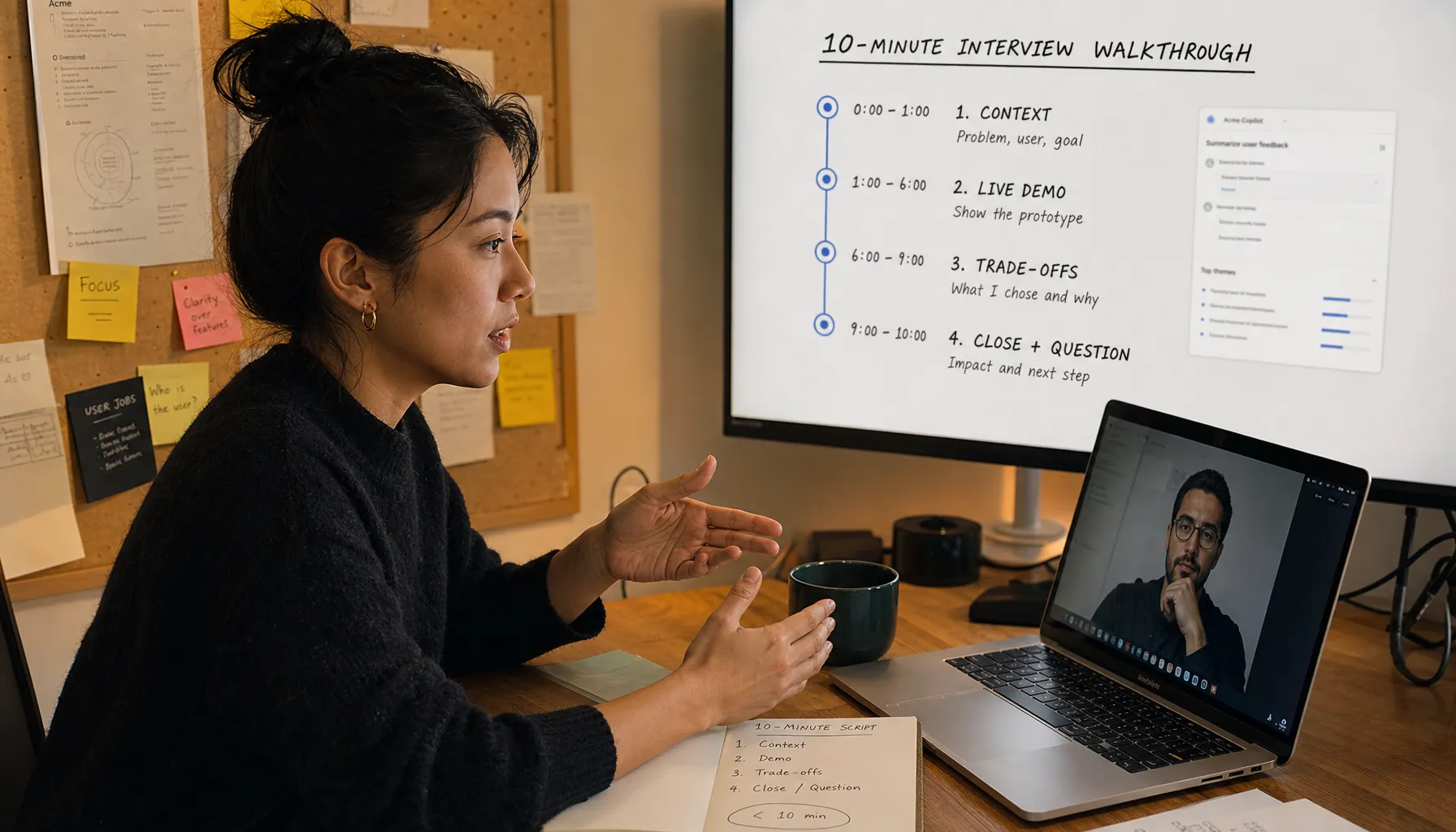
How to Demo an AI Prototype in an Interview: A 10-Minute Script
Ten minutes is enough to show an AI-assisted prototype, but only if you know exactly what you're going to say and show. This guide on how to demo an AI prototype in an interview keeps it tight: give the setup, run one real workflow, explain the trade-offs, and end with a question that turns the demo into a real hiring conversation.
The frame is simple. The prototype is the thing under inspection. The interviewer is watching how you build, where you leaned on AI, where you did not, and whether your judgment holds up once the workflow gets real.
Key Takeaways
- A strong AI prototype demo should spend about 60 seconds on context, 5 minutes on the live workflow, 2 minutes on trade-offs, and 1 minute on the closing question.
- The interviewer needs to see the prototype handle one real user task, not a tour of every feature.
- Explain the AI boundary clearly: what the model generates, what the system verifies, and where a human decision still has to happen.
- Prepare a fallback path before the interview: screenshots, recorded clips, seed data, and a known-good prompt run.
- The best closing question asks how the company would judge production readiness, because that shifts the conversation from polish to judgment.
How do you demo an AI prototype in an interview?
You demo an AI prototype in an interview by showing one real workflow, explaining where AI changes that workflow, and naming the trade-offs before the interviewer has to drag them out of you.
A good AI prototype interview demo has four parts. First, state the user problem and success metric. Second, run a live task from input to output. Third, explain the model, data, failure modes, and safeguards. Fourth, ask what production bar the team would use before shipping it.
This matters because companies hiring builders are drowning in polished AI-generated material. According to the Google re:Work structured interviewing guide, structured interviews work better when builders get the same job-related questions and answers get judged against clear criteria. A prototype demo gives the interviewer something concrete to judge: problem framing, execution, debugging, and judgment.
If you want the broader hiring model behind this, the pillar piece is Get Hired as a Builder in 2026: Proof, Judgment, and Process. This article stays focused on the ten minutes when your work is on screen and everyone in the room can tell whether it holds up.
What should your 10-minute AI prototype demo script include?
Your 10-minute AI prototype demo script should include a context opening, one live workflow, a trade-off explanation, and a closing question about production readiness.
Do not treat the demo like a product launch. Treat it like evidence. The interviewer is not there to be dazzled. They are trying to read how you think once a prototype has enough shape to be judged.
| Minute | What to do | What the interviewer learns |
|---|---|---|
| 0:00 to 1:00 | State the user, problem, constraint, and success metric. | You can frame a problem before showing a solution. |
| 1:00 to 6:00 | Run one task live from input to useful output. | You can build a working path, not a static mockup. |
| 6:00 to 8:00 | Explain AI boundaries, failure modes, and safeguards. | You understand judgment, risk, and system behavior. |
| 8:00 to 9:00 | Show one improvement you would make next. | You can prioritize after learning from the build. |
| 9:00 to 10:00 | Ask how the team would evaluate production readiness. | You think like someone joining the work, not just performing for it. |
This is also where your demo connects to the rest of your proof. A live prototype lands better when it sits inside a visible body of work, which is why Proof of Work Portfolio for Builders in 2026: Examples and Checklist is a smart prep step before the interview.
How should you open the AI prototype demo?
Open the AI prototype demo with one sentence about the user, one sentence about the workflow, and one sentence about the success measure.
Use this script:
“I built this for a support lead who needs to triage long customer threads faster without losing the original facts. The prototype reads a thread, extracts the customer issue, flags missing information, and drafts the next response. I judged success by whether the user could decide the next action in under two minutes while still seeing the source evidence.”
That opening does three useful things fast. It names the user. It defines the job. It gives the interviewer a metric. The metric does not need to be a formal benchmark, but it does need to be visible. “Faster triage” is mushy. “Decide the next action in under two minutes” is something people can actually test.
The common mistake is opening with the stack. “I used Next.js, Supabase, LangChain, and GPT-4” tells the interviewer what you touched. It does not tell them why the prototype exists. Save the tooling for later if they ask. For role-specific signals, the related piece Hiring Managers Look for in Builders in 2026: Signals and Requirements gets into how companies hiring builders read evidence across product, design, and engineering screens.
How should you run the live demo without losing the room?
Run the live demo by completing one realistic task end to end, with short narration only at decision points.
The interviewer does not need a feature tour. They need to see cause and effect. Input goes in. The system retrieves, reasons, or generates. Output appears. You inspect it. You accept, edit, or reject it. That's the whole game.
- Start with seeded data that looks like a real workflow, not lorem ipsum or a toy prompt.
- State the task before clicking: “I’m going to turn this raw customer thread into a triage summary and reply draft.”
- Run the workflow once without stopping for side explanations.
- Pause at the AI output and inspect one thing that could be wrong.
- Show the evidence source or trace that supports the output.
- Name one product decision you made to reduce confusion.
- Move to the trade-off section before the fifth minute ends.
Interface clarity matters here. According to the Nielsen Norman Group usability heuristics, visibility of system status is one of the core rules of interaction design. In an AI prototype, that means the user should be able to tell whether the system is retrieving, generating, checking, or waiting for human approval. If that state is fuzzy, the workflow feels fake fast.
If the demo is part of a broader build interview, use Builder Interview Demo in 2026: Steps and Script for the general structure. This page is for the AI-specific version, where the black-box problem is exactly what people are judging.
How should you explain AI trade-offs in the interview?
Explain AI trade-offs by separating capability, reliability, cost, latency, privacy, and human control.
This is where builders pull away from people who only know how to drive the tool. A tool user says the model “does the work.” A builder can say where the model helps, where it breaks, and what the product does when it breaks.
| Trade-off | Good interview explanation | Weak interview explanation |
|---|---|---|
| Accuracy | “I require source snippets beside each summary so the user can verify claims.” | “The model is usually accurate.” |
| Latency | “I stream the draft first, then run a slower check before approval.” | “It takes a few seconds.” |
| Cost | “I use the stronger model only for final drafting, not every classification step.” | “API cost should be fine.” |
| Privacy | “I avoid sending account identifiers in the prompt and keep the original record in the system of record.” | “The data is secure.” |
| Human control | “The prototype drafts, but it does not send without approval.” | “The AI handles replies.” |
Use external standards sparingly, but know them. The National Institute of Standards and Technology AI Risk Management Framework breaks AI risk work into governance, mapping, measurement, and management. The OWASP Top 10 for Large Language Model Applications calls out common LLM risks, including prompt injection and sensitive information disclosure. Those are not buzzwords. They're the failure modes a serious interviewer expects you to recognize without hand-waving.
For a fuller version of this conversation, use Judgment Calls in AI Work in 2026: Trade-Offs and Answers. In the live demo, keep it to two minutes. Nobody wants a compliance monologue.
What should you say when the prototype breaks or behaves unpredictably?
When the prototype breaks, say what failed, switch to the fallback artifact, and explain what the failure tells you about the system.
Do not panic, and do not start apologizing for the existence of software. A prototype that worked fine in rehearsal can still fail on interview Wi-Fi, expired API keys, cold starts, browser permissions, rate limits, or a model response that goes sideways. According to OpenAI’s evals documentation, systematic evaluation measures model behavior against defined tasks. Same idea here: say what failed, show what should have happened, and explain how you would test it next.
Use this sentence:
“This run failed at the retrieval step. I have a recorded run from the same seeded input, and after showing that I’ll explain how I’d isolate whether this is a data issue, prompt issue, or API issue.”
That answer keeps control of the room. It also shows the interviewer that you understand AI work as systems work, not magic with nicer UI. If your build sits between product and engineering, the bar is usually higher, which is why Agentic Engineer Hiring in 2026: CPTO Signals and Requirements is a useful related read.
What is the full 10-minute AI prototype demo script?
The full 10-minute AI prototype demo script is a timed sequence that moves from context to proof to judgment without wandering into a feature tour.
- Open with the user, problem, constraint, and success metric in three sentences.
- Show the starting input so the interviewer sees the raw material before AI touches it.
- Run one realistic workflow from input to output without changing examples halfway through.
- Inspect the AI output against the source evidence and point out one possible error.
- Explain where the model generates, where the system verifies, and where the human approves.
- Name the biggest trade-off you accepted and the trade-off you refused.
- Show the fallback artifact if the live run fails or behaves unpredictably.
- Close by asking how the team would judge production readiness for this workflow.
This script also protects against the resume problem. AI-written applications can make almost everyone sound smooth. Live work makes that fluency testable. For the broader screening contrast, see AI Resume vs Proof of Work in 2026: Screening and Signals and AI-Written Resume in 2026: How Builders Prove Work.
How should you close the demo?
Close the demo by asking the interviewer what evidence would make the prototype production-ready in their environment.
Use this question:
“If this were your workflow, what would you need to see before trusting it in production: evaluation results, privacy review, user testing, latency targets, or something else?”
That question works because it shifts the interview toward standards. It also gets the hiring manager to tell you the real bar. Some teams care first about evals. Some care about customer trust. Some care about speed. Some care about whether the builder can move across roles without hiding behind a title. That shift in hiring is covered in Builder Roles vs Job Titles in 2026: Product and Engineering Teams.
Provn's frame is performance over pedigree. Proof over polish. In an AI prototype interview, proof is not a perfect demo. It's a working artifact, a clear explanation of the system boundary, and enough judgment to say what should not ship yet. If you need a project to practice on before the interview, start with AI Project Ideas for Builders in 2026: Hiring Examples. If you're deciding whether credentials or artifacts carry more signal, use Certifications vs Portfolio in 2026: Production and Hiring Signals.
Frequently Asked Questions
How long should an AI prototype demo be in an interview?
An AI prototype demo should usually be 8 to 10 minutes unless the interviewer gives a different limit. Spend about 1 minute on context, 5 minutes on the live workflow, 2 minutes on trade-offs, and 1 minute on the closing question.
Should I disclose that AI helped me build the prototype?
Yes. State which parts AI assisted, such as code generation, interface copy, prompt drafting, data labeling, or test case creation. The point is not to pretend you did everything by hand. The point is to show judgment over the work product.
What if the AI output is wrong during the live demo?
Inspect it in the open. Say what is wrong, identify whether the likely cause is retrieval, prompting, evaluation, or model behavior, and show how the system is designed to stop that error from reaching a user without review.
Should I show code during an AI prototype interview demo?
Show code only if it supports the point being evaluated. For engineering-heavy roles, a short look at the retrieval path, eval harness, API boundary, or approval logic can help. For product or design roles, the workflow and decision reasoning usually matter more.
How is an AI prototype demo different in a remote interview versus onsite?
Remote demos need more fallback prep because screen sharing, permissions, bandwidth, and API auth can fail. Have a recorded run, screenshots, seeded data, and a local backup ready. Onsite demos often give you more room to whiteboard after the live run.