
AI Productivity Metrics for Builders: Proof That Works
The AI metrics that actually matter for builders are simple: prototypes shipped, faster decision cycles, defects caught early, review hours saved, and systems the team can reuse.
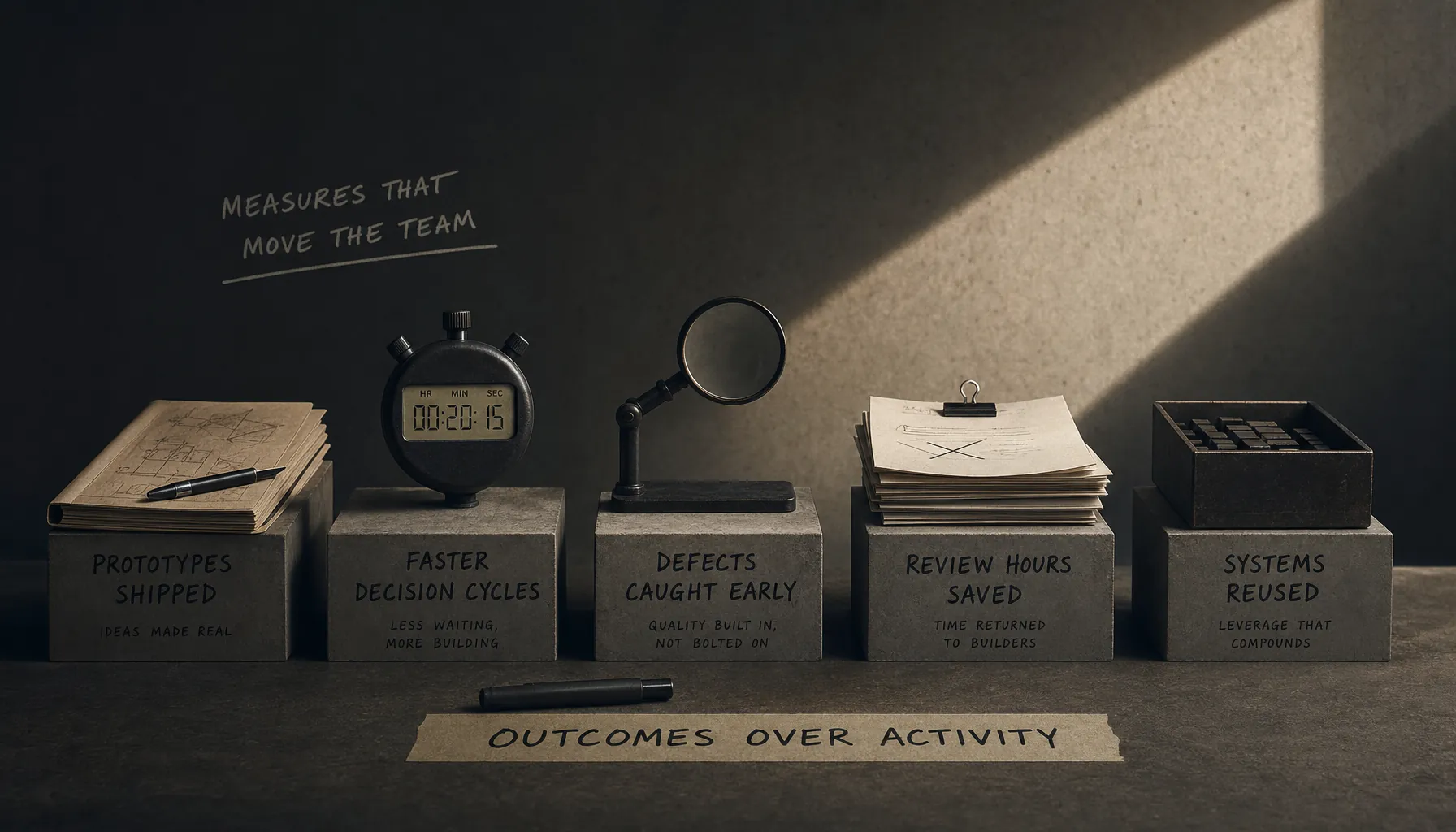
You can fire off 400 AI prompts in a week and still leave the team slower than you found it.
That’s why AI productivity metrics for builders should track shipped work, less waiting, less rework, and systems other people can actually reuse — not tool activity. The hiring question is simple: did your work help the team move faster without creating more mess?
Key Takeaways
- Good AI productivity metrics track quality and team speed, not prompt count, model usage, or hours inside a tool.
- The five metrics that hold up across teams are prototypes shipped, decision cycles reduced, defects prevented, review time saved, and reusable systems created.
- Use before-and-after baselines: lead time, review hours, defect rate, handoff count, or how many reusable assets other people adopted.
- Hiring managers trust metrics more when you include the tradeoff: what got faster, what risk went up, and what control kept waste down.
- A portfolio should show artifacts — screenshots, commit history, test results, review notes, decision logs, or adoption data — not just nice-sounding claims.
AI Productivity Metrics for Builders: The Scorecard That Matters
AI productivity metrics for builders should show that someone helped useful work move faster through a real team. The scorecard that matters covers delivery speed, decision speed, quality control, review efficiency, and reusable infrastructure.
That is different from measuring AI usage. Usage is activity. Productivity is changed throughput. If someone generates fifty design variations but adds two extra review meetings, the system did not improve. If they ship one useful prototype, help the team make a decision, and document the pattern so the next person can reuse it, that probably did improve the system.
Software teams learned this lesson years ago. According to DORA’s Four Keys guidance on software delivery performance, teams track deployment frequency, lead time for changes, change failure rate, and failed deployment recovery time because speed only counts when reliability stays intact. AI builders need the same discipline.
Provn’s broader cluster on AI cost vs employees covers the cost side. This page is about proof: the metrics that show a builder didn’t just automate activity, but improved how the work actually gets done.
Prototype Throughput: Count Shipped Experiments, Not Prompt Volume
Prototype throughput measures how many testable versions a builder moved from idea to usable artifact in a defined period. A useful version includes scope, audience, decision criteria, and what happened after people looked at it.
A weak metric says: “Built an AI prototype.” A stronger one says: “Shipped four working onboarding-flow prototypes in 10 business days; two were tested with sales, one became the production spec, and one was thrown out after legal review.”
That discarded prototype matters. Good teams don’t treat every experiment as a win. They care whether it reduced uncertainty. If a fast prototype kills a bad idea before engineering burns three sprints on it, that’s real productivity.
| Metric | Weak version | Builder-grade version |
|---|---|---|
| Prototype count | Number of mockups generated | Number of testable artifacts reviewed by real users or decision-makers |
| Cycle time | Time spent prompting | Calendar time from request to review-ready prototype |
| Decision outcome | Positive feedback | Approved, rejected, merged, deferred, or converted into backlog items |
| Waste avoided | Not tracked | Engineering, design, or review work avoided because the prototype clarified risk |
The hidden tradeoff here is fidelity. AI makes it very easy to make something look polished before the logic is ready. Builders should label prototypes by fidelity level: concept sketch, clickable mock, functional workflow, or production candidate. That keeps a prototype from getting mistaken for a product, which happens more often than teams like to admit.
Decision Cycles Reduced: Show Where You Removed Waiting
Decision cycle reduction measures how much time a builder removed between a question coming up and a decision getting made. It’s one of the cleanest productivity metrics because most slow teams lose time in ambiguity, not typing.
This metric works best as a before-and-after. “Pricing-page decisions took three weekly meetings; after introducing a comparison brief and AI-generated scenario model, the team made the next two decisions asynchronously within 48 hours.”
According to the ACM Queue paper introducing the SPACE framework, developer productivity should be evaluated across satisfaction, performance, activity, communication, and efficiency — not one narrow activity measure. Decision speed belongs in that picture because it captures communication and flow, not just output.
Builders can track decision cycles with a simple log:
- Question opened: date, owner, and decision needed.
- Inputs gathered: data, user evidence, constraints, risks.
- Options narrowed: what was removed and why.
- Decision made: date, approver, next action.
- Reversal rate: whether the decision had to be reopened later.
Reversal rate is the guardrail. Faster decisions are not better if they create churn. If someone cuts decision time by 60% but doubles reversals, they didn’t remove waste. They just moved it downstream.
Defects Prevented: Measure Avoided Rework Before It Gets Expensive
Defects prevented measures errors caught before release, handoff, customer exposure, or executive review. For AI-assisted builders, this is often worth more than raw output speed because AI can produce very convincing wrong work at scale.
A practical defect-prevention metric has three parts: the defect class, the detection method, and the consequence you avoided. For example: “Added an AI-assisted test checklist that caught 17 broken edge cases across 6 onboarding states before QA handoff, reducing reopened tickets from 14 to 5 in the next release cycle.”
According to the National Institute of Standards and Technology AI Risk Management Framework, AI risk management depends on mapping, measuring, managing, and governing risk across the whole system. In plain English: productivity claims need controls. A faster workflow without error checks is not an improvement. It’s just a faster way to ship mistakes.
Useful defect categories include:
- Logic defects: broken calculations, missing conditions, incorrect assumptions.
- UX defects: confusing states, inaccessible flows, unclear error handling.
- Data defects: stale inputs, duplicated records, mismatched fields.
- Compliance defects: missing consent language, undocumented data use, weak audit trail.
- Operational defects: handoffs that fail when one person is unavailable.
This is where AI judgment at work becomes visible. The proof is not that a builder used AI to spot defects. The proof is that they knew which defects mattered, built checks into the workflow, and cut rework without slowing everyone else down.
Review Time Saved: Prove You Reduced Human Bottlenecks
Review time saved measures how many human hours a builder removed from approval, editing, QA, or manager review without lowering decision quality. It’s a strong metric because senior people are usually the bottleneck, and everybody knows it.
AI can help here, but only if the builder gives the review some structure. A 20-page AI-generated brief usually creates more review work. A one-page decision memo with assumptions, risks, diffs, and a recommendation can cut it down fast.
GitHub reported in a controlled study that developers using GitHub Copilot completed a coding task 55% faster than developers without it, according to GitHub’s research on Copilot productivity. Useful data point. But hiring managers still need to know whether review burden went up. Faster drafting is not the same thing as faster acceptance. A lot of AI tooling quietly dumps extra work on reviewers and calls it efficiency.
A builder-grade review metric looks like this:
| Review area | Baseline | After builder intervention | Proof artifact |
|---|---|---|---|
| Product spec review | 3 reviewers × 60 minutes | 3 reviewers × 25 minutes | Annotated diff and decision memo |
| Code review | 2.4 review rounds per PR | 1.3 review rounds per PR | Pull request history |
| QA handoff | 14 reopened tickets | 5 reopened tickets | Ticket report by release |
| Customer-response approval | Same-day review unavailable | Approved response library used in 80% of cases | Usage log and escalation notes |
The best review-time metrics include reviewer sentiment, but not as fluff. Use operational evidence: fewer clarification comments, fewer reopened issues, shorter approval queues, and fewer escalations.
Reusable Systems Created: The Builder Metric Most Teams Miss
Reusable systems created measures whether a builder turned one-off work into something other people can use. This is the metric that separates a fast individual contributor from someone who actually increases team capacity.
Reusable systems can include prompt libraries, evaluation rubrics, test harnesses, onboarding templates, research synthesis formats, data-cleaning scripts, design components, or internal agents with clear guardrails. The artifact itself matters less than adoption. If nobody else uses it, it’s a personal shortcut, not a team asset.
According to ISO/IEC 42001 guidance on AI management systems, organizations need management practices for AI systems, including governance and continual improvement. For builders, reusable systems are the practical version of that. They make a better workflow repeatable instead of dependent on one motivated person who happens to remember the weird workaround.
Track reusable systems with four numbers:
- Creation count: how many reusable assets were shipped.
- Adoption count: how many teammates used them without direct hand-holding.
- Time saved per use: measured from a small sample, not guessed.
- Maintenance load: how often the asset needed updates, fixes, or review.
The maintenance number keeps this metric honest. A reusable system that saves 10 hours but needs 12 hours of monthly upkeep is not productivity. It’s debt with better branding.
This connects directly to AI skills in hiring. Hiring teams do not need another candidate claiming they’re “AI-native.” That phrase should probably be retired anyway. They need proof that the candidate can build systems other people trust and keep using.
How to Build an AI Productivity Scorecard
An AI productivity scorecard should fit on one page and show baseline, intervention, result, proof artifact, and guardrail. The point is to make the claim easy for a manager, recruiter, or technical interviewer to check.
Use this process for a portfolio case study, performance review, or interview packet.
- Choose one workflow where AI changed the output, timing, review burden, or quality control.
- Record the baseline with a concrete measure such as lead time, review hours, defect count, handoff count, or prototype approval rate.
- Describe the builder intervention in plain language, including the AI tools, human review step, and decision rule.
- Measure the result over a defined period, such as one sprint, one launch cycle, or one month.
- Add a guardrail metric that shows whether waste increased, such as defect rate, reversal rate, escalation count, or maintenance load.
- Attach proof artifacts including screenshots, pull requests, ticket exports, decision logs, test results, or adoption records.
- Summarize the result in one sentence with the baseline, the change, and the business effect.
A good final sentence sounds like this: “Reduced spec review time from 180 reviewer-minutes to 75 reviewer-minutes per feature by replacing long drafts with AI-assisted decision memos, while keeping reopened requirements below one per sprint.”
That sentence does more than report productivity. It shows judgment. It names the system, the change, the control, and the outcome. For adjacent measurement problems, see AI productivity vs usage and AI use vs AI output.
Frequently Asked Questions
What are the best AI productivity metrics for builders?
The best AI productivity metrics for builders are prototypes shipped, decision cycles reduced, defects prevented, review time saved, and reusable systems created. These metrics work because they measure team throughput and waste control, not AI activity. A strong claim includes a baseline, a measured change, and proof artifacts.
Why is prompt count a weak productivity metric?
Prompt count measures tool activity, not useful output. A builder can generate hundreds of prompts while increasing review burden, defect risk, or decision churn. Hiring managers usually trust prompt count only when it connects to shipped artifacts, reduced cycle time, or reusable systems that other people actually adopted.
How should builders show AI productivity in a portfolio?
Builders should show AI productivity with a short case study: the workflow baseline, the AI-assisted intervention, the measured result, the guardrail metric, and proof artifacts. Useful artifacts include pull requests, before-and-after process maps, ticket reports, prototype links, decision logs, and reviewer notes.
What metric shows that AI made a team faster without adding waste?
The strongest combined metric is cycle time reduction paired with a quality guardrail. For example, reducing review time by 45% is a lot more credible when defect rate, reversal rate, or escalation count stayed flat or improved. Speed without a guardrail usually means the rework is just hiding somewhere later.
How do these metrics apply to non-engineering builders?
Non-engineering builders can use the same structure. A marketer can track campaign briefs approved per week and review time saved. An operations builder can track handoffs removed and defects prevented. A product builder can track prototypes tested, decisions made, and reusable templates adopted by the team.